
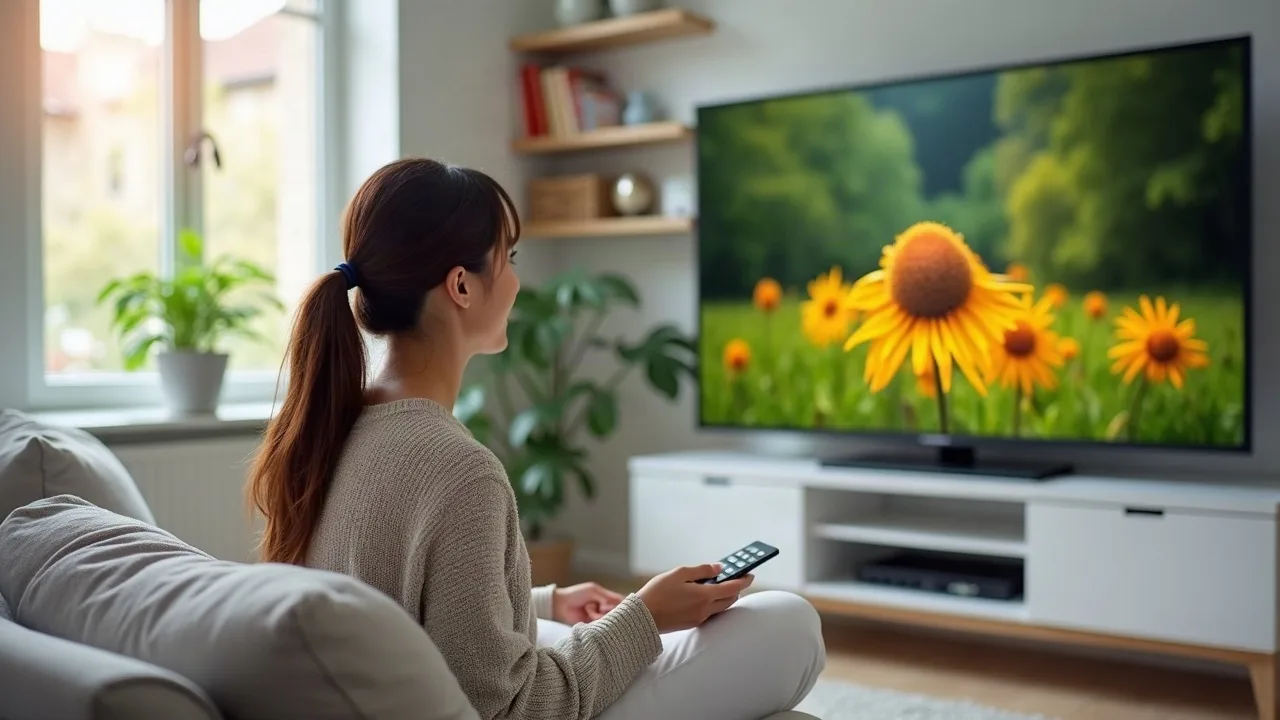
- A 55 inch TV suits medium-sized rooms with a seating distance of around two metres
- Panel type, HDR support and refresh rate affect picture quality more than the size alone
- Smart platform, tuners and HDMI ports should match how the TV will actually be used
A 55 inch TV is a common choice for living rooms and larger bedrooms. The size is large enough for films and sport, yet most models still fit on a standard TV unit or wall mount. The category is broad, though. Models labelled as 55 inch TVs differ in panel technology, processing, sound, gaming support and software, and the product listings themselves do not always use the same terminology. The questions below cover the points worth settling before choosing.
Is 55 inches the right size for the room?
The 55 inch figure refers to the screen diagonal. In practice, a 16:9 screen of this size is roughly 122 cm wide, but the overall width depends on the bezel and on whether the TV sits on feet or a central stand. Feet placed near the edges require a wider surface than the screen itself.
For seating distance, around two metres is a common starting point for a 55 inch 4K TV. Sitting closer is workable with 4K content, since individual pixels are small, but a larger room with a sofa further back may suit a bigger screen. A few practical checks help:
- Measure the width and depth of the TV unit, or the wall space if mounting.
- Check the VESA mounting pattern if a wall bracket is planned.
- Allow room for ventilation and cable access behind the set.
- Consider whether a soundbar will sit in front of or beneath the screen, and whether that changes the height needed.
Which panel technology suits the way the TV will be used?
Most 55 inch TVs use an LCD panel with an LED backlight, but the labels differ. Understanding them makes specification sheets easier to read.
- Standard LED/LCD: the basic form, with a backlight behind the panel. Some manufacturers add their own detail-enhancement processing, as with LG's Nano UHD naming.
- QLED and similar names (Hi-QLED, for example): an LCD panel with a quantum dot layer, intended to widen the range of colours the screen can show. These are not self-lit panels like OLED.
- Mini LED (marketed by Samsung in its Neo QLED range as Quantum Mini LEDs): a backlight made up of much smaller LEDs, which allows finer control of bright and dark areas through local dimming.
Local dimming matters in dim rooms, where contrast and black levels are more noticeable. In a bright living room, peak brightness and the screen's treatment of reflections tend to matter more. Some models include a glare-reducing screen finish, so this is worth looking for if the room has large windows.
Resolution deserves a quick check too. Most TVs in this size are 4K (Ultra HD), but listing text can be inconsistent. Confirm the native resolution in the specification rather than relying on the product title alone.
Which picture, sound and gaming features are worth checking?
Several specifications are easy to overlook but affect everyday use.
HDR formats
HDR10 is the baseline format and is widely supported. HDR10+ and Dolby Vision add scene-by-scene adjustment where the content supports it. Streaming services and discs use different formats, so a TV that supports several gives more flexibility. Support for a format does not by itself indicate how well the panel displays HDR, as that also depends on brightness and dimming.
Refresh rate and gaming
A 60Hz panel is adequate for broadcast TV, streaming and most films. Console and PC gamers may prefer a 120Hz or higher panel, ideally with variable refresh rate (VRR) and a low-latency game mode. Some models in this size are listed with a native 144Hz mode. Also check how many HDMI ports support the higher frame rates, as this is not always every port.
Sound
Slim TVs have limited space for speakers. Support for Dolby Atmos means the TV can decode that format, but the built-in speakers still set the limit on how it sounds. Some manufacturers work with audio companies on speaker tuning. A separate soundbar remains a common addition, so an eARC-capable HDMI port is useful for connecting one.
Extras
Some features are specific to certain brands, such as Philips Ambilight, which uses LEDs on the back of the TV to cast coloured light onto the wall in response to the picture. Whether this is a benefit or a distraction is a matter of taste.
Which smart platform and tuner setup is needed?
The operating system determines how apps, search and menus work day to day. Among the models in this size range, common platforms include Fire TV, LG's webOS and manufacturers' own systems. Some TVs also include voice assistants, either built in or through the remote.
Before choosing, it helps to check:
- That the apps used regularly are available, including UK catch-up services and subscription streaming apps.
- Whether the TV supports Freely for live channels delivered over the internet, or relies on an aerial for Freeview.
- Whether a satellite tuner is included, if a dish is in use.
- How many HDMI, USB and optical or ARC/eARC connections are provided for consoles, set-top boxes and soundbars.
- How long the manufacturer has stated it will provide software updates, where this information is available.
Anyone watching or recording live broadcast TV, or using BBC iPlayer, needs a valid TV licence regardless of the model chosen.
Live from the comparison Ranking and prices: as of today 01:15

Samsung Smart TV QN1EH 55-Inch, Neo QLED 4K, Glare-Free, NQ HDR, Motion Xcelerator, Object...
- EXCEPTIONAL 4K VIEWING EXPERIENCE: Our best 4K picture yet, Quantum Mini LEDs of...
- A TRULY INTELLIGENT TELEVISION: Ask Vision AI Companion anything for instant ins...
- IMMERSIVE SOUND & DESIGN: Hear action from all directions with Object Tracking S...

Xiaomi TV 55 inch 2026, HD Smart TV Fire TV Dolby Audio L55MB-FAVEU | MEMC, 60Hz with 120H...
- 4K HDR10: Watch your favorite content in crisp 4K resolution; HDR10 enhances pic...
- Fire TV: Enjoy instant access to thousands of apps like Netflix, Prime Video, Di...
- Alexa Built-in: Say it. Alexa will play it—No more endless scrolling. Simply pre...

Hisense 55 Inch 55E78STUK PRO Hi-QLED 144Hz 4K Ultra HD AI Smart TV | Hi-QLED Colour, Buil...
- Native 144Hz Game Mode: VRR 144Hz and low-latency motion handling cuts stutter a...
- Hi-QLED Colour: Experience a visual treat with Hi-QLED colour. Every frame is ri...
- Dolby Vision.Atmos: The fusion of Dolby VisionTM HDR imaging and Dolby Atmos sou...
Conclusion
A 55 inch TV works well for many UK living spaces, but the model within that size matters more than the size itself. Room measurements and seating distance come first. After that, panel technology, HDR support and refresh rate indicate what the picture will look like in practice, while the smart platform and connections determine how convenient the TV is to live with. Comparing the full specification sheets of shortlisted models, rather than headline feature names, gives the clearest picture of the differences.